
How to Check Your Current Membership Plan
Sign in to your eBassGuitar account:
https://members.ebassguitar.com/login
Then:
-
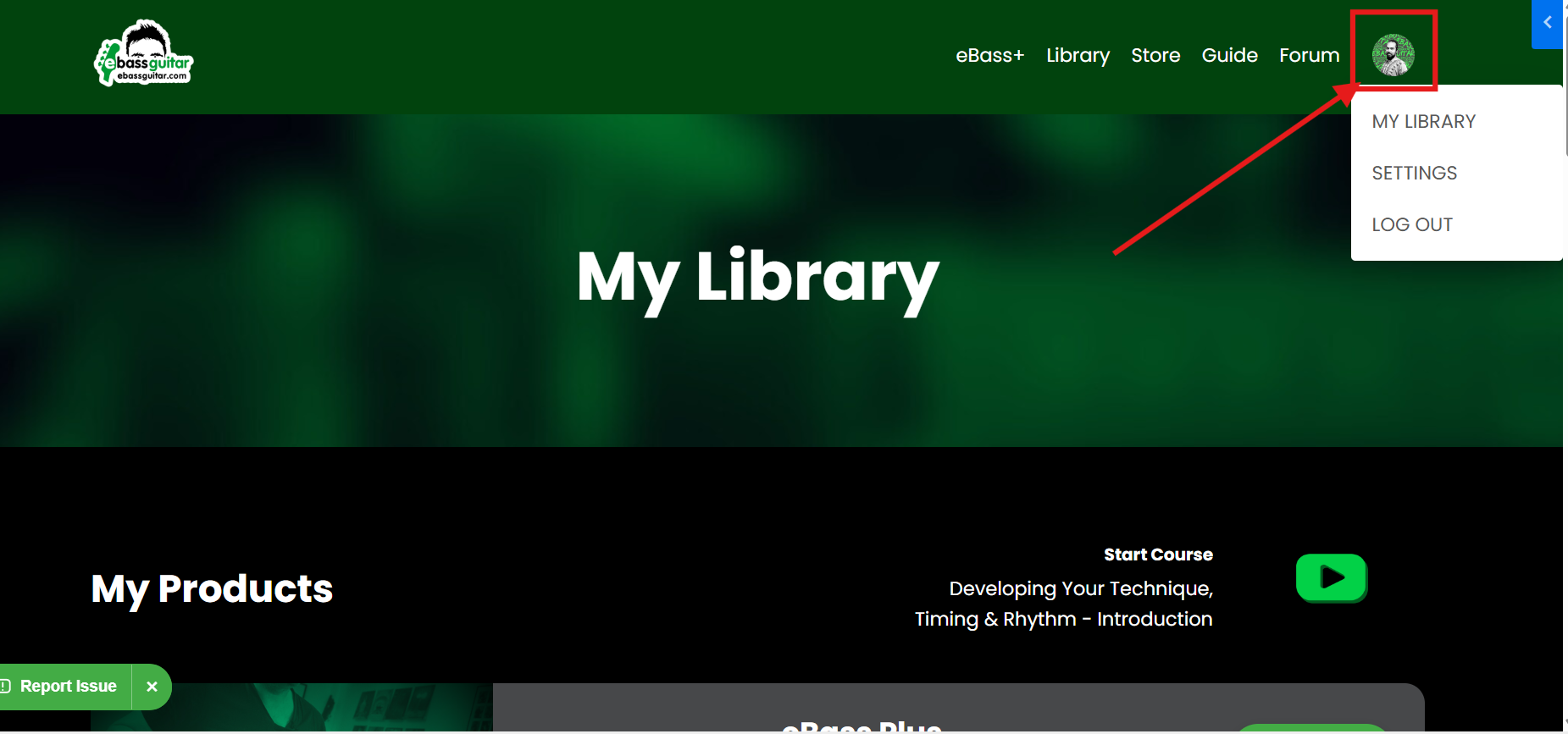
Select your profile icon in the top-right corner.
-
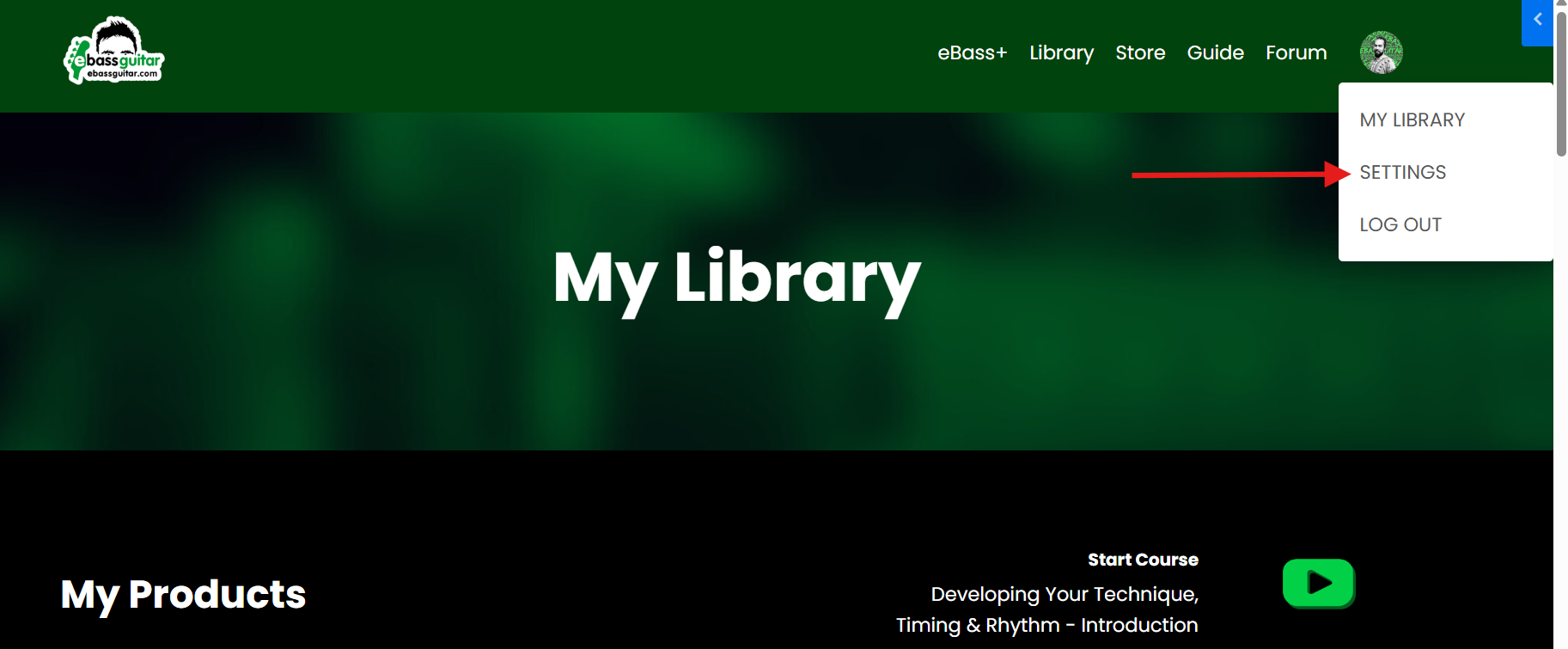
Select Settings.
-
Open Billing.
- Look under your active subscriptions to view your current eBass+ plan and payment details.
If your membership plan does not appear, or you are unsure whether you have a monthly, six-month or yearly plan, contact:
support@ebassguitar.com
Please include your full name and the email address connected to your membership.